Guides12 min read2,768 words
The Run of Show Method for Event Company Websites
A practical way to structure an event company website: event-type pages, an organized portfolio, a date-first form, and a schedule that keeps it working.
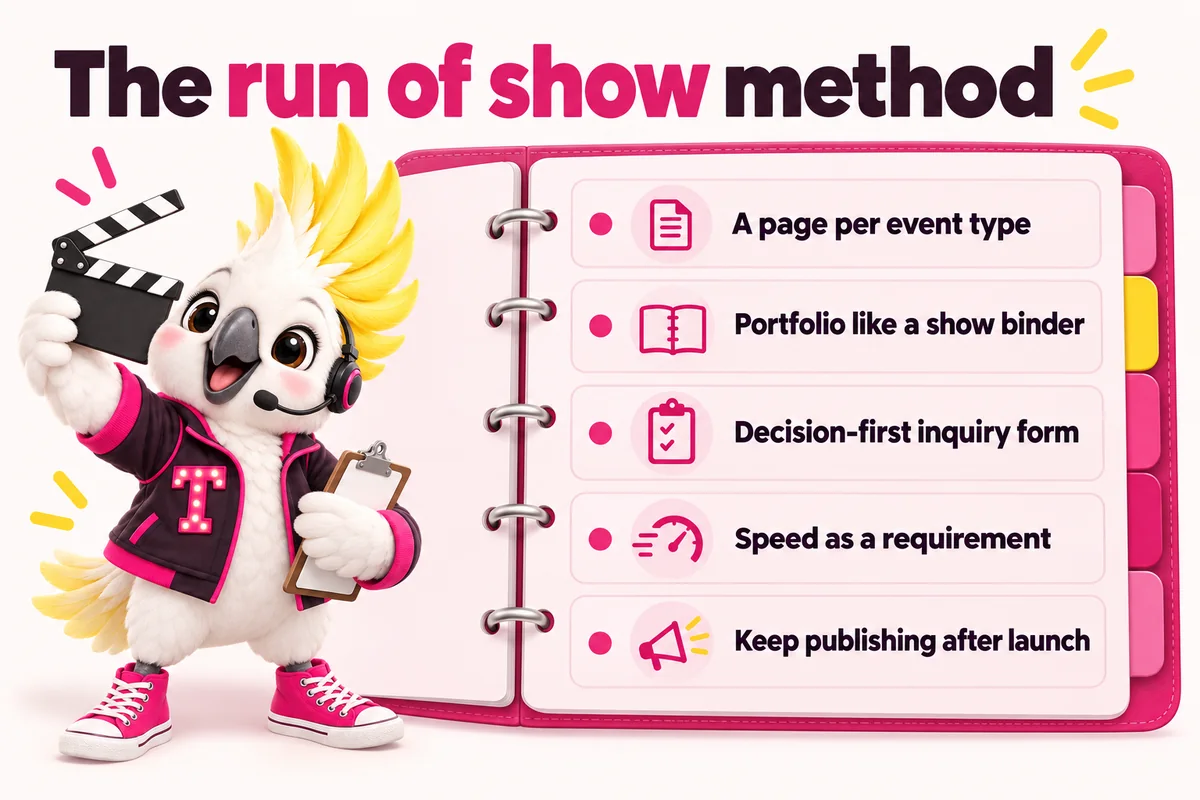
A show does not run on a vibe. It runs on a cue sheet: a document that says exactly what happens, in what order, and who is responsible for each moment. Most event company websites are built the opposite way, as a single home page, a generic “our services” paragraph, and a contact form that could belong to any small business. The fix is to treat the website itself as a production, with a structure that is planned before it is built, tested against a real buyer’s decision process, and maintained on a schedule after launch.
This guide walks through that structure in the order it should actually be built: event-type pages first, then the portfolio, then the inquiry form, then speed and search, then the publishing habit that keeps the site working months after launch.
What “run of show” means for a website
A run of show is the document a production team uses to keep a live event on schedule: who does what, at what time, in what sequence. Applied to a website, the same discipline means deciding, before a single page is designed, exactly which pages exist, what each one has to accomplish, and in what order a visitor should move through them. It replaces the instinct to build “a homepage and a few subpages” with a plan that matches the actual shape of your business.
Why cue sheets beat vibes
The reason this matters is not aesthetic. A prospective client, whether a couple planning a wedding or a procurement contact filling out a vendor shortlist, arrives at your site already holding a specific question: does this company do the kind of event I am planning, and can I see proof of it fast? A site built around a vibe, rather than a structure, forces that visitor to hunt for the answer. A site built around a cue sheet answers it in the first few seconds, because the page they land on was built specifically for their situation.
This is also, not coincidentally, how search engines and AI answer tools evaluate a page. A page that speaks generally about “event planning services” gives a search engine nothing specific to match against a search for “wedding planner in [city]” or “corporate event producer for a 300-person conference.” A page built around one event type, with its own heading structure and its own proof, gives it exactly that.
Start with a page for every event type you actually run
The single highest-leverage change most event company websites can make is splitting a generic services page into one page per event type. If you run weddings, corporate events and the occasional nonprofit gala, that is three pages, not one, each answering its own version of the same underlying question: can this company handle my kind of event, and what does that look like in practice.
The event-type page test
A useful test for whether an event type deserves its own page: does it have its own buyer, its own proof, and its own objections? A wedding client cares about your portfolio and your day-of coordination process. A corporate buyer cares about your capacity, your case studies and whether you can handle their procurement process. Those are different pages because they are different conversations, even if the same team ultimately runs both kinds of events.
Common event types worth their own page
For most event businesses, the initial page set looks something like this, though the exact list depends on what you actually run:
- Weddings and social events. Portfolio-led, with planning-level explanations (full planning, partial planning, day-of coordination) and a date-first inquiry path.
- Corporate and conference events. Capabilities-led, with case studies, scale indicators (attendee counts, AV capability, format range) and an RFP-ready request form.
- Festivals and experiential events. Split further into ticket buyer, sponsor and press paths, since those are effectively three different visitors landing on one event’s site.
- Nonprofit galas and fundraisers. Ticket, table and sponsorship pages plus a standing donate page separate from the annual event.
- Any additional specialty, such as incentive travel, product launches or private parties, once it becomes a repeatable part of the business rather than an occasional exception.
Each of these pages should open with an answer-first sentence describing exactly what the page covers, followed by the pains specific to that buyer, the pages or process you use for them, and the proof that matches. A page built for wedding planners and coordinators reads completely differently from a page built for corporate event and conference producers, because the buyer, the proof and the objections are all different.
Structure the portfolio like a stage manager organizes a show binder
A show binder is never one undifferentiated stack of paper. It is tabbed: lighting cues in one section, sound cues in another, blocking notes in a third. A portfolio built the same way, organized by event type rather than dumped into one long photo feed, is dramatically easier for a visitor to use, and it doubles as internal proof for each of the event-type pages above.
The practical version of this is simple: every photo or video you add to the site gets tagged with the event type it belongs to, and each event-type page pulls only from its own category. A visitor comparing a 200-guest gala should never have to scroll past fifty wedding photos to find one relevant example. This also compounds over time. Every event you run adds one more piece of proof to exactly the page where a similar future client will be looking for it, rather than adding to an undifferentiated pile that gets harder to browse the longer the business operates.
If your photo library is thin in a given category today, that is not a reason to delay. Launch with the categories built and add to them after every event. A clearly labeled category with three strong examples out-converts an unsorted feed of three hundred, because it tells the visitor the company has organized its own work, which is itself a form of proof.
Build the inquiry form around the decision, not a generic contact page
Most website contact forms are built for any business: name, email, message. That form works poorly for an event company because it asks for information that does not actually determine whether you can take the job. The two facts that matter most, almost always, are the event date and the event type. Everything else is secondary.
What a date-first form should ask
A form built around the actual decision asks, in roughly this order:
- Event date (or date range, if it is not fixed yet), because availability is the first filter.
- Event type, so the inquiry routes to the right process and the right team member if your business has more than one division.
- Guest count or attendee count, since this often determines venue fit and pricing tier.
- Budget range, asked plainly rather than avoided, since it prevents a mismatched inquiry from consuming a full consultation before the mismatch is discovered.
- A short open field for anything else the client wants to add, kept optional so it never becomes the reason someone abandons the form.
Different event types warrant different versions of this form. A wedding inquiry benefits from asking about venue and planning level. A corporate RFP benefits from asking about event format and procurement timeline. Building the form per event-type page, rather than forcing one generic version to serve every visitor, keeps each version short and specific, which is itself what keeps completion rates higher than a long generic alternative.
Whatever the field set, the form should route directly into whatever system your team actually works from, whether that is a CRM connected by API, an automation platform, or a shared inbox with clear ownership. An inquiry sitting in a form-notification email that nobody is specifically responsible for checking is functionally the same as no inquiry at all.
Make speed a first-class requirement, not an afterthought
Page speed is not a nice-to-have layered on top of a finished design. It is part of whether the page functions at all for the person trying to use it, and increasingly part of how search engines and AI answer systems evaluate whether to trust and surface a page. Google’s Core Web Vitals program defines specific, documented thresholds for this: a Largest Contentful Paint under 2.5 seconds is considered good, along with thresholds for interaction responsiveness and visual stability (web.dev, Core Web Vitals). These are not arbitrary preferences; they describe the difference between a page that feels instant and one that feels like it is fighting the visitor.
For an event company specifically, the practical stakes are concrete. A prospective client comparing planners is very often doing so on a phone, in a spare moment between other tasks, sometimes literally standing in a venue during a walkthrough for a competing planner. A page that takes several seconds to become usable loses that visitor to whichever competitor’s page loaded first, regardless of which company is actually the better fit. Building every page as lean, custom-coded markup rather than a stack of accumulated plugins is the most reliable way to keep that outcome from happening as the site grows.
Give search engines something to rank: markets, event types, and schema
Two separate mechanisms determine whether your pages show up for the searches your buyers actually run: having a specific page for the specific thing being searched, and marking that page up so machines can understand what it contains.
The first is mostly solved by the event-type page structure described above, extended across the markets you serve. A search for “wedding planner in [city]” and “corporate event producer in [city]” are different searches with different intent, and neither is well served by one generic page trying to cover the whole region and every event type at once. Google’s own SEO guidance is explicit that helpful, specific content aligned with how people actually search is the foundation everything else builds on (Google Search Central, SEO Starter Guide).
The second is structured data: machine-readable markup that tells a search engine, in an explicit and standardized way, what kind of content a page contains, rather than leaving it to infer from prose alone (Google Search Central, Introduction to structured data markup). A page listing your frequently asked questions, for example, can carry FAQPage markup so that a search engine (or an AI system generating an answer) can identify the questions and answers directly rather than guessing from surrounding text (Schema.org, FAQPage). The rule that matters most here is that the markup must match the visible page content exactly. Marking up a question and answer that a visitor cannot actually see and read is not a shortcut; it undermines the trust the markup is meant to build.
Applied consistently, a Service type on each event-type page, BreadcrumbList on every page showing where it sits in the site, and FAQPage wherever visible questions and answers appear gives both traditional search engines and newer AI answer systems a structured, verifiable picture of the site, rather than one generic Organization tag pasted everywhere regardless of what the page actually contains.
How this changes for a full-service or multi-division company
Everything above gets more important, not less, once a business runs more than one kind of event under one roof. A full-service event management and production company often has a wedding team, a corporate team, and sometimes a festival or experiential team, each with its own process, its own proof, and often its own inquiry volume. A single home page trying to represent all three ends up representing none of them well, and a single shared inbox for inquiries ends up creating exactly the kind of routing delay that costs a booked event.
The fix follows the same run of show logic, one layer up. Instead of one set of event-type pages, a multi-division company builds a division structure first: a wedding and social events section, a corporate and conference section, and so on, each behaving like its own mini-site with its own portfolio, its own proof and its own inquiry form. The inquiry form asks for event type before anything else specifically so it can route to the right division automatically, whether that routing happens through a CRM’s own logic or through simple conditional fields on the form itself.
This also changes how the team should think about the weekly publishing habit described below. Content should be assigned to a division rather than written generically, both because it keeps the writing specific enough to be useful and because it gives each division equal visibility in search rather than letting whichever team is loudest internally dominate the site’s public presence. A corporate division that never gets its own content will rarely show up for corporate searches, no matter how strong the actual corporate work is.
Keep publishing after launch
A website that stops changing the week after launch stops earning new search visibility from that week forward. This is the part of the run of show method most businesses under-invest in, because it does not feel like part of “building the website,” but it is functionally identical to a production company treating opening night as the end of the process rather than the beginning of a run.
The practical version of this is a standing weekly commitment: new content addressing the planning questions, venue considerations and event-type comparisons your buyers actually search before they ever fill in a form. This does not need to be extensive to be effective, but it needs to be consistent, sourced, and specific to your actual event types and markets rather than generic lifestyle content that could belong to any site. Every claim or figure in that content should be traceable to where it came from; an invented percentage or attendance statistic does more damage to credibility than no statistic at all.
A sample run of show for your own website project
If you are planning this kind of rebuild, here is a practical sequence, in order:
- List every event type you actually run today, ranked by how much of your revenue or your ambition each represents.
- List every market you serve, and note which event types you run in each one.
- Sort your existing photo and video library into those event-type categories, noting where you are thin and need new material.
- Draft the inquiry form fields for each event type, starting with date and event type, then whatever else genuinely determines fit.
- Write one page per event type, answer-first, using your own pains, process and proof rather than adapting generic template copy.
- Apply structured data matched to each page type, checked against what is actually visible on the page.
- Set a weekly content cadence and commit to it the same way you would commit to a recurring production meeting.
None of this requires an unusual amount of technical skill to plan, but it does require the discipline to plan it before building starts, the same way a show gets cued before the curtain goes up. If you would rather see this structure built for you, our pricing page covers the three plans this runs on, our features page covers everything included at each tier, and you can book a live demo to see it built around your own event types before deciding anything.
Sources
Frequently asked questions
Do I need a separate page for every single event type I run?
Only for the event types that are genuinely part of your business today. A wedding planner who also does the occasional corporate holiday party does not need six corporate sub-pages, but does need a real corporate events page once that becomes a repeatable line of work. Start with the two or three event types that bring in most of your revenue, then add more as the business grows.
How is this different from just having a good "services" page?
A single services page tries to speak to every buyer type at once, which usually means it speaks clearly to none of them. A wedding client, a corporate procurement contact and a nonprofit gala committee are each looking for different proof and use different search terms, so each needs its own page written for how that specific buyer decides.
What if we do not have a large photo library yet?
Launch with the categories built and the photos you do have sorted into them, even if some categories start thin. A clearly organized portfolio with a handful of strong examples per category outperforms one long unsorted feed, and you can add to it after every event from here on.
Does a run of show style site take longer to build than a simple one-page site?
Not on a managed plan. The structure is decided during onboarding and built in the same timeframe as a simpler site, because the event-type pages, portfolio categories and inquiry form logic are part of the standard build rather than a custom add-on.
Can this structure work for a full-service company running several kinds of events at once?
Yes, and it tends to matter most there. A full-service company benefits from splitting the site by division, with each division carrying its own event-type pages, portfolio section and inquiry routing, so a corporate buyer never has to wade through wedding content to find the right page.